

Over the 5-day May Day holiday, I built a WeChat mini program — called "Kuaiji Group Chat".
The requirement in one sentence: a tourist walks to a Shaoxing scenic spot, scans a QR code, and watches the local historical figures "argue" in a WeChat group. Lu Xun's Former Residence unlocks the Lu Xun family group, Shen Garden unlocks the Lu You & Tang Wan group, the Orchid Pavilion unlocks the Wang Xizhi group — 6 groups in total.
This post only covers how it was built — the script data structure, the spectator-mode state machine, the LBS radius check, AI calls, the day-by-day rhythm, and the pitfalls. Where the idea came from and why Shaoxing, I'll skip.
The three-piece tech stack
| Layer | Choice | Why |
|---|---|---|
| Front end | WeChat mini program | LBS permissions are smoothest natively, no download, faster review than an app |
| Backend | Tencent CloudBase (cloud functions + NoSQL + cloud storage) | Integrated, no self-ops |
| AI | CloudBase built-in Hunyuan / DeepSeek | cloud.extend.AI called directly in cloud functions, zero integration |
| Dev tools | WeChat DevTools (built-in AI coding, "IDE" below) + Claude Code | Mini program body in the IDE; scripts and cloud functions in Claude Code |
Why not Next.js + Supabase + Vercel: the overseas stack hits three walls in China — latency, filing, WeChat ecosystem integration — impossible to run through in 5 days. The detailed comparison was in the earlier post "2026 one-person-company tech stack"; won't repeat here.
Data structure: turning "group chat" into database documents
The whole product's data model is just 4 collections:
// 1. groups: metadata for the 6 groups
{
  _id: "lu-xun-family",
  name: "鲁迅家族のChat",
  spotId: "luxun-guli",          // linked check-in spot
  avatarUrl: "...",
  memberIds: ["lu-xun", "zhou-zuoren", "zhu-an", "xu-guangping", "run-tu"],
  unlockOrder: 1                 // open to all users by default
}

// 2. members: all character cards
{
  _id: "lu-xun",
  displayName: "鲁迅",
  age: 48,
  personality: "刻薄敏感爱反讽,写作时抽烟",
  avatarUrl: "...",
  artifactNotes: ["《呐喊》", "线装日记本"]   // linked clickable artifacts
}

// 3. scripts: group chat scripts (8-15 messages per group, unlocked in segments)
{
  _id: "lu-xun-family-act1",
  groupId: "lu-xun-family",
  unlockSpotId: "luxun-guli-entrance",   // unlocked at which LBS point
  messages: [
    { from: "zhou-zuoren", text: "大哥,请你以后不要再到后边院子里来。", type: "text" },
    { from: "zhou-zuoren", text: "[图片]", type: "image", imageUrl: "..." },
    { from: "lu-xun", text: "[已撤回一条消息]", type: "system" },
    { from: "zhu-an", text: "大先生,今天的茴香豆刚买好。", type: "text" },
    // ...
  ]
}

// 4. user_progress: user unlock progress
{
  _id: "openid-xxx",
  unlockedScripts: ["lu-xun-family-act1", "shen-yuan-act1"],
  stamps: ["luxun-guli", "shen-yuan"],   // stamp collection
  reactions: { "lu-xun-family-act1": ["🍶", "🥢"] }
}
Why NoSQL over MySQL: script structures are deeply nested with non-fixed fields (image messages and text messages differ), which a relational table handles poorly. CloudBase's cloud database supports nested queries, straightforward to write:
// in a cloud function, fetch all unlocked scripts for a group
const db = cloud.database();
const scripts = await db.collection('scripts')
  .where({
    groupId: 'lu-xun-family',
    unlockSpotId: db.command.in(userProgress.stamps)
  })
  .orderBy('createdAt', 'asc')
  .get();
LBS radius check: 100m unlock
This is the core interaction — the user must physically arrive at the spot to unlock the next segment.
The front end gets the location, the backend verifies the distance. Both must exist; front-end-only checks are easily tampered.
// mini program wx.getLocation
wx.getLocation({
  type: 'gcj02',         // the state-surveying coordinate system, native to WeChat mini programs
  isHighAccuracy: true,  // high-accuracy mode, 5-10m
  success: (res) => {
    wx.cloud.callFunction({
      name: 'unlockSpot',
      data: {
        spotId: 'luxun-guli-entrance',
        userLat: res.latitude,
        userLng: res.longitude
      }
    });
  }
});
The cloud function computes the Haversine distance (true surface distance, not a straight line):
// cloudfunctions/unlockSpot/index.js
const cloud = require('wx-server-sdk');
cloud.init({ env: cloud.DYNAMIC_CURRENT_ENV });

const SPOTS = {
  'luxun-guli-entrance': { lat: 30.0021, lng: 120.5797, radius: 100 },
  'shen-yuan': { lat: 29.9924, lng: 120.5871, radius: 100 },
  'lan-ting': { lat: 29.9583, lng: 120.5419, radius: 150 },  // Orchid Pavilion is large, bigger radius
  // ...
};

function haversine(lat1, lng1, lat2, lng2) {
  const R = 6371000;  // Earth radius, meters
  const toRad = (x) => x * Math.PI / 180;
  const dLat = toRad(lat2 - lat1);
  const dLng = toRad(lng2 - lng1);
  const a = Math.sin(dLat/2) ** 2 +
            Math.cos(toRad(lat1)) * Math.cos(toRad(lat2)) * Math.sin(dLng/2) ** 2;
  return R * 2 * Math.atan2(Math.sqrt(a), Math.sqrt(1 - a));
}

exports.main = async (event) => {
  const { spotId, userLat, userLng } = event;
  const spot = SPOTS[spotId];
  if (!spot) return { ok: false, reason: 'unknown_spot' };

  const distance = haversine(userLat, userLng, spot.lat, spot.lng);
  if (distance > spot.radius) {
    return { ok: false, reason: 'too_far', distance: Math.round(distance) };
  }

  const { OPENID } = cloud.getWXContext();
  const db = cloud.database();
  await db.collection('user_progress').doc(OPENID).update({
    data: {
      stamps: db.command.addToSet(spotId),
      [`unlockedScripts`]: db.command.addToSet(`${spotId}-act1`)
    }
  });
  return { ok: true };
};
Pitfalls:
- WeChat mini programs use the gcj02 coordinate system (state-surveying encryption), not the common wgs84 (raw GPS). At first I used spot coordinates looked up on Baidu Maps, and everything was off by 50-300m — all unlocks failed
- GPS drift is large at mountainous spots — the Orchid Pavilion is surrounded by hills, so I bumped its radius to 150m for stability
- iPhones have better positioning accuracy than Android —
isHighAccuracy: trueoccasionally times out on low-end Android (default 3s); I addedhighAccuracyExpireTime: 5000as a fallback
Spectator mode: users can't type by default
The most counterintuitive decision in the whole product — users can only send reactions, vote and tap artifact names in a group; no direct typing.
Technically it's a simple state machine:
// front end page/chat/chat.js
data: {
  inputMode: 'spectator',  // 'spectator' | 'reaction' | 'vote'
  allowedReactions: ['🍶', '🥢', '🪶', '🌧️', '🐢', '🪨']  // the Shaoxing-limited six-pack
},

// user taps the bottom input area
onTapInput() {
  if (this.data.inputMode === 'spectator') {
    wx.showToast({
      title: '默认围观哟,发表情吧',
      icon: 'none'
    });
    return;  // don't pop the keyboard
  }
}
Why this design:
- Avoid the AI-customer-service feel — once users can chat directly with AI characters, the experience degrades into a ChatGPT skin
- Protect script integrity — the preset scripts are historically researched and dramatically arranged; user interruptions break the rhythm
- Lower AI cost — all dialogue is generated offline and stored in the database, with almost no AI calls at runtime (except reaction aggregation), keeping per-user cost under ¥0.001
Reaction emojis are aggregated on the backend:
// cloudfunctions/sendReaction/index.js
exports.main = async (event) => {
  const { scriptId, emoji } = event;
  const db = cloud.database();
  await db.collection('reactions').add({
    data: { scriptId, emoji, createdAt: db.serverDate() }
  });
  // push to everyone viewing this script in real time (CloudBase Realtime)
  return { ok: true };
};
CloudBase's realtime data push gives "spectating" a collective atmosphere — in Shen Garden watching Lu You and Tang Wan, you see a heartbroken emoji another tourist sent 30 seconds ago fly by. A thrill you can't get playing solo.
CloudBase built-in AI writes the scripts
The scripts aren't hand-written — they're AI-generated, but all AI calls happen offline; none at runtime.
Calling Hunyuan in a cloud function:
// cloudfunctions/generateScript/index.js
const cloud = require('wx-server-sdk');
cloud.init({ env: cloud.DYNAMIC_CURRENT_ENV });

exports.main = async (event) => {
  const { groupId, conflictPrompt } = event;

  const ai = cloud.extend.AI;
  const result = await ai.generateText({
    model: 'hunyuan-2.0-instruct-20251111',
    messages: [
      {
        role: 'system',
        content: `你是历史群聊编剧。按"微信群对话"格式输出 10-15 条消息,
每条不超过 30 字,必须包含 [图片] [已撤回] [正在输入] 等微信原生标记,
节奏要有沉默和留白。严格按时间线,不能让人物说出他死后才出现的话。`
      },
      { role: 'user', content: conflictPrompt }
    ]
  });
  return { messages: parseMessages(result.text) };
};
The prompt is a three-part kit: character card + conflict core + artifact anchors, for example:
【人物性格卡】
鲁迅:48 岁,刻薄敏感爱反讽
周作人:43 岁,温和记仇字斟句酌
朱安:49 岁,文盲,绍兴话
许广平:35 岁,新女性,住外面
闰土:50 岁,乡下渔民,木讷

【冲突核心】
1923 年 7 月 19 日早晨,周作人递给鲁迅一封绝交信

【文物锚点】(必须出现)
- 八道湾胡同 11 号后院门
- 鲁迅日记本(线装)
- 朱安从绍兴带的茴香豆

【输出】
微信群对话 10-15 条,要有节奏,要有沉默
I only do two things:
- Proofread the timeline — AI often makes 1923's Lu Xun say something that only appeared in 1936; must be human-checked
- Add dialect — the Shaoxing-dialect easter eggs (Zhu An's "我是大先生的太太") are things AI can't write
Cost: 6 groups, 12 dialogue segments (2 per group), about 30 Hunyuan calls total (including debugging), under ¥1 all in.
Day-by-day: how 5 days were arranged
| Date | Task | Tool | Actual time |
|---|---|---|---|
| 4/30 | Data modeling + 6-group character list + 6 conflict outlines | Feishu docs | 4h |
| 5/1 Day1 | Mini program front-end skeleton (chat UI + progress page + map page) | WeChat DevTools + built-in AI | 8h |
| 5/2 Day2 | 6-group script generation + proofreading | Hunyuan + manual | 6h |
| 5/3 Day3 | 4 cloud functions (unlockSpot / sendReaction / getProgress / sealAchievement) | Claude Code + CloudBase MCP | 5h |
| 5/4 Day4 | LBS integration + artifact popup + check-in album | Cloud storage + wx.getLocation | 7h |
| 5/5 Day5 | Integration + bug fixes + submit for review | On-device spot scanning (Hangzhou→Shaoxing→Hangzhou) | 9h |
About 39 hours of pure development. Two things made the rhythm work:
1. CloudBase MCP lets Claude Code manage the backend directly
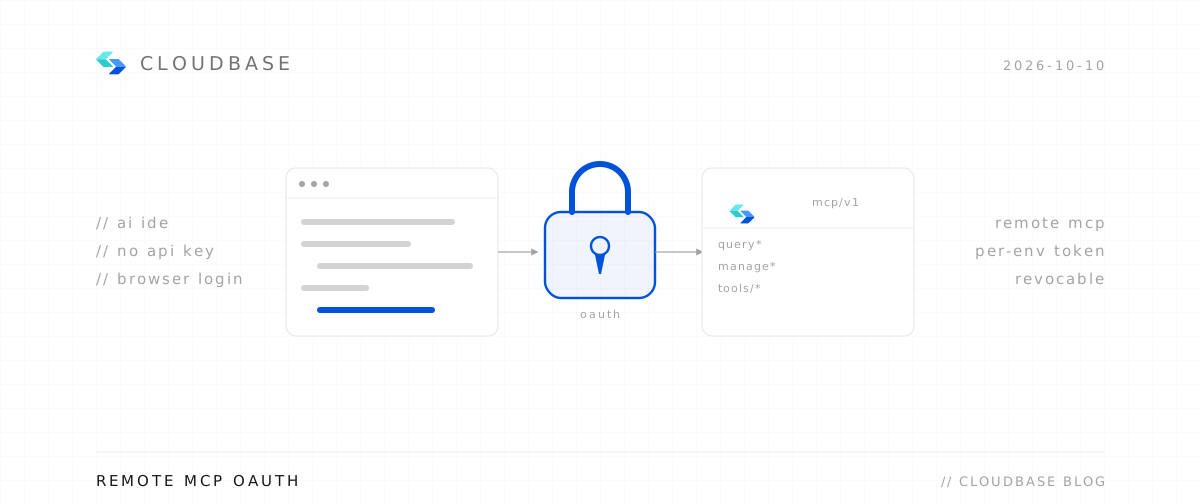
Mount @cloudbase/cloudbase-mcp@latest in ~/.workbuddy/mcp.json, and Claude Code can directly:
- Create cloud functions
- Edit cloud function code + deploy
- Query cloud database content
- Upload files to cloud storage
The prompt for writing a cloud function is literally: "write me an unlockSpot function, inputs spotId/userLat/userLng, compute distance with Haversine, if under 100m add the corresponding script to the user's unlock list." Claude Code writes it, calls MCP to deploy it — no copy-paste.
2. WeChat DevTools' built-in AI writes the mini program front end smoother than Cursor
Chat-UI bubble layouts, list rendering, scroll-to-bottom — normally the dreariest parts — the IDE's built-in AI generates usable wxml + wxss from one sentence: "make a WeChat-group-chat-style conversation list." The workflow was detailed in the earlier post "WeChat DevTools + AI: from writing code to deploying without leaving the window."
A few performance/cost numbers
| Item | Measured |
|---|---|
| Per-user first-screen cold start | 800ms (including function cold start) |
| Single LBS unlock latency | avg 320ms (GPS 200ms + function 120ms) |
| Per-user total function calls | ~25 (6 unlocks + 6 stamps + reactions/progress) |
| 6-group script total length | ~4,500 chars + 30 artifact images |
| Cloud storage usage | 12MB (images) + 1MB (database) |
| 1,000 DAU estimated monthly cost | ~¥8 (basically within free quota, no payment needed) |
| WeChat mini program review time | 18 hours from submit to approval (no content rejection) |
The last line is the surprise — AI-generated dialogue for modern/near-modern figures like Lu Xun, Wang Yangming and Xu Wei actually passed review. My guess: the excerpts are within public historical record, and the figures passed away long enough ago. But don't replicate this with living or politically sensitive figures — that's another matter entirely.
A few pitfalls
- gcj02 vs wgs84 — as above, spot coordinates must use the state-surveying-encrypted gcj02, or every unlock fails
- CloudBase Realtime connection limit — the free quota is 100 concurrent connections, paid beyond that. Enough for MVP; at scale you do your own math
- AI-generated "image" placeholders — after AI outputs
[图片]I had to manually add images, or the front end renders an empty block. Later consider CloudBase's built-in text-to-image model for auto-filling - Review sensitive-word pre-check — before submitting, scan all script text with WeChat's official content-safety API (
security.msgSecCheck) to avoid "pornographic" or "violent" triggers. Claude Code writes the batch-scan script with one click - iOS background location limits — the mini program can't keep getting location in the background; users must actively tap "scan to unlock", not "auto-detect arrival"
Finally
The project's magnitude isn't the creativity — it's toolchain maturity.
5 days worked because:
- CloudBase collapses front end, backend, database, AI and storage into one SDK
- WeChat DevTools collapses writing + debugging + preview + upload into one window
- Claude Code + MCP pushes the "think-to-do" transfer cost to near zero
Three years ago, the same requirement would take two days just to handle login state + LBS permissions + push auth. Now your bottleneck shifts from "do you know the tools" to "what do you want to build."
The repo is being anonymized, public next week. The mini program QR code is in the comments.